
Table of Contents
- The skill underneath the app
- Short answer
- Hiking apps compared at a glance
- AllTrails: my planning and cross-check app
- Mapy.cz: my free primary navigation app
- FarOut Guides: essential for the big US trails
- FarOut vs AllTrails: which one do you need?
- Gaia GPS: for off-trail and alpine
- Other free apps worth knowing
- Offline maps: download them before you leave
- Garmin InReach Mini: the one piece of safety gear I'd not skip
- Common mistakes I see
- FAQ
- What is the best hiking app for thru-hiking?
- Do I need a paid hiking app for the GR11?
- FarOut vs AllTrails, which is better?
- AllTrails vs Gaia GPS, which is better?
- Is FarOut worth the money?
- What's the best free hiking app?
- Do I need a satellite communicator like the Garmin InReach Mini?
- What is the best hiking app for Europe?
- Can I use just one hiking app?
- Do I need a compass if I'm using a hiking app?
- Resources to build your nature-reading skills
- Related reading on thru-hiking
- The bottom line
Updated September 2026.
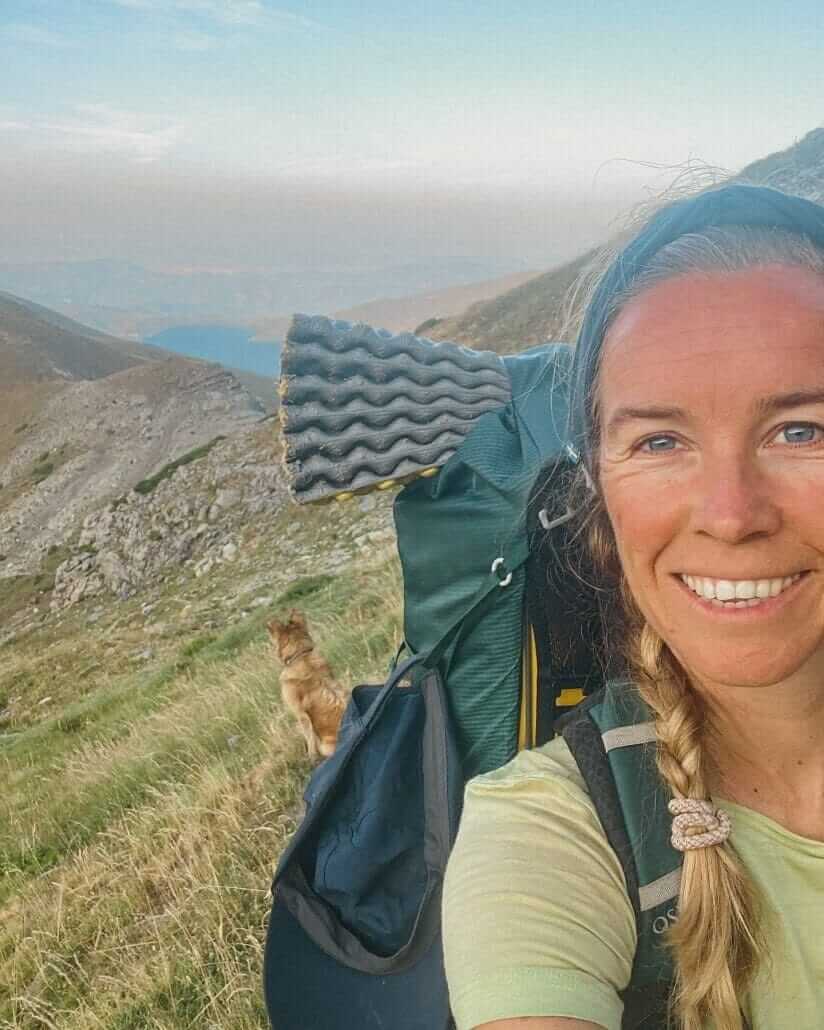
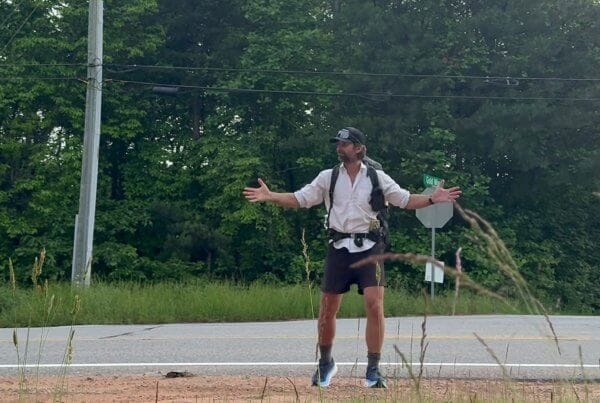
Summer 2024, stage 13 of the GR11. I'm following red and white trail markers I'm sure are mine. They're not. They belong to the HRP, the high route that runs parallel through this section, unmarked half the time. I open Mapy.cz. It tells me to walk down into the valley. I check AllTrails. It says keep going where I am. One of them is wrong.
That moment is more or less why this post exists.
What follows are the best hiking apps I actually use across 2000+ km of long-distance trails in Europe and the Caribbean, the ones that earn their place on my phone. Plus the part most app round-ups skip: the awareness that keeps you safe when the app gets it wrong.
The trails behind this guide
- GR11 (Transpirenaica), Spain: 850 km across the Spanish Pyrenees, Atlantic to Mediterranean. 50 days, mostly solo, partly with my dog Wingo. Summer 2024.
- GR131 across the Canary Islands: traverses of Tenerife, Gran Canaria, and Fuerteventura. Volcanic terrain, desert sections, Atlantic views.
- GR7 Tarifa to Ronda: southern Spain, olive groves, white villages, the Sierra de Grazalema.
- Fisherman's Trail (Rota Vicentina), Portugal: 226 km of southwest coast between São Torpes and Lagos.
- Ruta de la Reconquista (GR202), Picos de Europa: steep alpine terrain in northern Spain, historic pilgrim route.
- Waitukubuli National Trail, Dominica: 183 km of Caribbean jungle. We were the first hikers on the trail in 5 years after hurricane closures. Half of it was overgrown. Navigation was critical because we often had to find our own way where the marked path had disappeared.
Marked and unmarked. Coastal, alpine, volcanic, jungle. All of that informs what's below. My partner Jonatan, who has taught me much of this, has also walked the Pacific Crest Trail, the Appalachian Trail, and the GR11 in half the time I did it.
The skill underneath the app
The best hiking app won't keep you safe. Awareness will. Reading the landscape, feeling when something is off, noticing that the sun has shifted from your left cheek to behind you when the trail was supposed to keep heading west. That kind of attention is built outside, slowly, by being out there.
People die on the GR11 most years. Hypothermia. Falls. Storms on exposed ridges. Not because their app was wrong. Because they weren't prepared for what the mountain can throw at them.
After enough days outside you start navigating with your body before your phone. The trail doesn't match the landscape, something inside says stop. That signal is worth more than any app below. I'm not anti-tech, my apps and my Garmin saved decisions for me on the GR11 more than once. But they're the second line, not the first.

A compass and natural navigation
Apps die. Phones crack. Batteries flatten in the cold. I carry a tiny Suunto mini compass clipped to my pack strap. Weighs nothing, never needs charging. Only useful if you know how to use it though. Spend a weekend on a local hill learning to take a bearing and orient a map before you need it on a ridge. Courses and a book on natural navigation in the resources section below.
Paper maps
I don't always carry them. On the Fisherman's Trail I didn't bother, markers were good. On the GR11 I had Cicerone guidebook pages, two apps, and trail markers. On the HRP or anywhere truly remote, I'd carry detailed paper. The more serious the terrain, the more redundancy.
Short answer
After 2,000+ km of testing these on European and Caribbean trails, this is how I split it:
- Europe (GR11, GR10, Fisherman's Trail, Camino): AllTrails Plus + Mapy.cz
- US long trails (PCT, AT, CDT): FarOut Guides + AllTrails
- Off-trail or alpine (HRP, Haute Route): Gaia GPS + paper map
- Safety, especially solo or remote: Garmin InReach Mini
- Unsure where to start? AllTrails free trial, plus a free backup app.
Hiking apps compared at a glance
In this video I share how I navigate on trail, including getting lost in the clouds on stages 17 and 18 of the GR11.
If you find the channel useful, subscribe here. Less than 10% of the people watching actually subscribe, and every one helps me keep making real trail content.
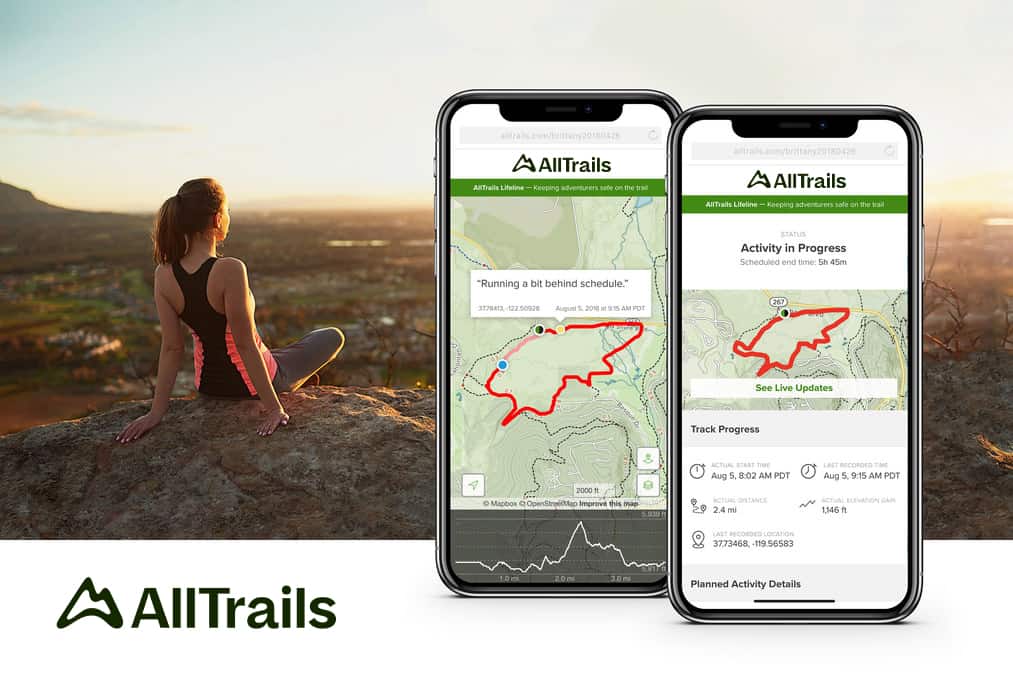
AllTrails: my planning and cross-check app
Mapy.cz is my day-to-day app on trail. AllTrails is what I use to plan before a trail, to discover new hikes between thru-hikes, and to cross-check whenever I'm not sure of my location. Two apps with different map data keep me oriented, better than any one app doing everything.
What I rely on it for:
- 3D trail preview. See the steep pitches, ridges and valleys before you walk them. Makes elevation profiles tangible.
- Stage-by-stage maps. For long trails like the GR11 or Fisherman's, each stage is mapped separately, you can hike one section and still track the whole.
- Discover trails near you. What I use most between big hikes. Land somewhere with the van or the boat, open the app, see what's local.
- Off-trail vibration alerts when you drift, so you check your phone less.
- Community reviews with recent conditions, reroutes, closures.
The ghost-miles moment
Back to stage 13 (above). Mapy.cz said walk down into the valley. AllTrails said I was on the right trail. AllTrails was right, the markers I was following belonged to the HRP, not the GR11. The takeaway isn't that one app beats the other. It's that they sometimes disagree, and when they do you stop, breathe, check the markers, and decide. I wrote more about that stretch in my GR11 trip diary for stages 12-16.
AllTrails has a free tier, a Plus tier with offline maps and wrong-turn alerts, and a Peak tier with extras like community heatmaps and plant ID. For a thru-hike, Plus is enough.
Mapy.cz: my free primary navigation app
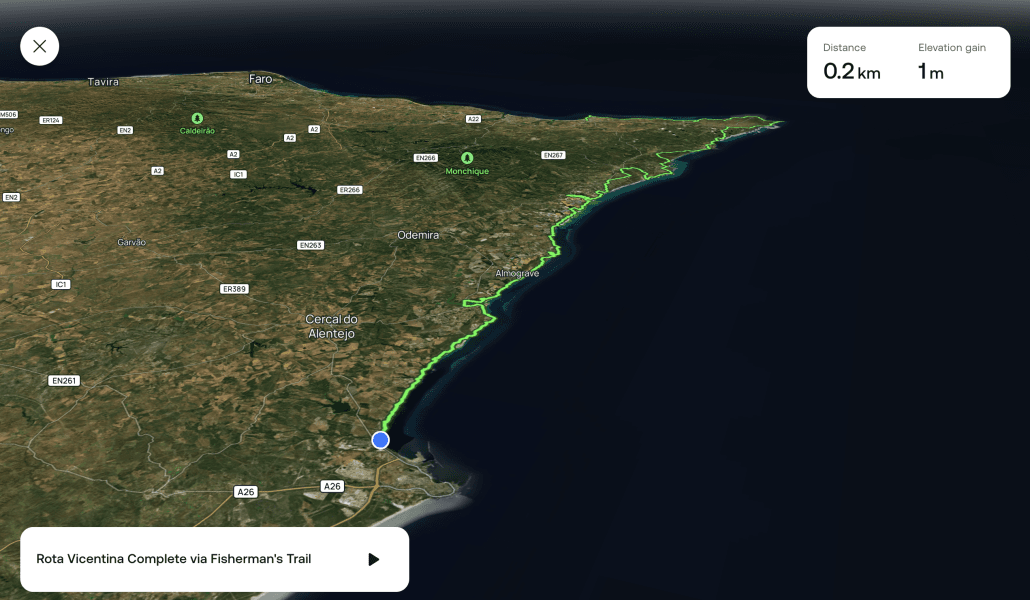
Czech-made, detailed for European trails, completely free. Mapy.cz is the app I actually open first in the wild. It shows the full GR11 route with strong topographic detail, contour lines, and trails that don't always show up in AllTrails. Works beautifully offline once you've saved the region.
On the GR11 and the Fisherman's, this was the app I opened first when I needed to check something. I pair it with AllTrails because of the different map data. When they agree, I'm confident. When they disagree, I stop and figure out who's right before moving on.
Visit Mapy.com (previously Mapy.cz, rebranded in 2025), or download from the App Store or Google Play.
FarOut Guides: essential for the big US trails
FarOut is the best app for thru-hiking the big US trails: PCT, Appalachian Trail, Continental Divide Trail. My partner Jonatan used it on the PCT and the AT and still talks about it.
It isn't a general hiking app. It's a digital trail guidebook with waypoints for everything that matters on a thru-hike: water sources (and whether they're flowing right now), campsites, town services, resupply points, shelters. Other hikers leave comments on each waypoint in real time, so you know if a spring is dry before you walk five miles to find out.
FarOut has also expanded internationally. Trails they now cover include the Camino de Santiago, Camino del Norte, Coast to Coast (England), Cotswold Way, Hadrian's Wall Path, Laugavegur (Iceland), Tour du Mont Blanc, Great Divide Trail (Canada), and several Australian long trails like the Bibbulmun Track and Larapinta Trail.
FarOut vs AllTrails: which one do you need?
People keep asking me this one, and it's almost the wrong question. They don't really compete. AllTrails is a navigation and discovery app: maps, tracking, wrong-turn alerts, more or less any trail on earth. FarOut is a guidebook that happens to live on your phone: waypoints for water, camps, resupply and town services, with live comments from the hikers a day ahead of you. On the PCT, Jonatan ran both. FarOut to know whether the next spring was flowing, AllTrails to see the terrain.
So the real question is whether FarOut covers your trail. If yes (the big US trails, the Camino routes, Tour du Mont Blanc, Laugavegur), get it, and add AllTrails if you also want proper maps. If no, which is still most of Europe, AllTrails Plus paired with free Mapy.cz is the setup. Check FarOut's trail list here.

Gaia GPS: for off-trail and alpine
Gaia GPS is the pro tool. Backcountry hikers, search and rescue teams, overlanders swear by it. Layered topo maps, slope-angle shading, avalanche forecasts.
For a marked trail like the GR11 or the Fisherman's, Gaia is overkill. AllTrails is easier and does what most thru-hikers need. Gaia really earns its keep off-trail, plotting custom alpine routes, or when you need layered data like avalanche risk. If you're hiking the HRP or any winter high route, it's worth it.
Other free apps worth knowing
Maps.me
OpenStreetMap data. Good for general offline maps, finding accommodation, searching for places while travelling. Less hiking-focused than Mapy.com but a useful all-rounder. Download Maps.me.
Wikiloc
Huge community-uploaded database of trails, strong for Europe. Great for finding lesser-known local routes. Free with a Pro version.
Komoot
Popular in Europe, especially for day hikes and cycling. Excellent route planning interface, more geared toward bikes than walking. Free tier gives you one offline region. I mention it because some readers prefer the interface.
Komoot or AllTrails? The comparison I get asked most from European readers. Komoot is stronger for planning point-to-point routes in Europe, especially the Alps and Germany where its community is biggest, and its turn-by-turn voice navigation is something AllTrails doesn't really do. AllTrails wins on trail reviews, recent condition reports and sheer library size worldwide. For a day hike in Bavaria: Komoot. For researching whether a trail is worth your week and cross-checking distances: AllTrails. For actually navigating a thru-hike in Spain, I still hand the job to Mapy.cz and keep both of the others in the toolbox.
Offline maps: download them before you leave
This is the step most people get wrong. They assume they'll figure it out on trail or that cell signal will save them. Signal in the mountains is a lottery. Sometimes full 4G at 2800m. Sometimes nothing for three days. At 2500m with a storm rolling in, you want maps you can trust regardless.
Pre-trail offline map checklist
Do all of these at home, on wifi, at least a week before you start:
- Download the full trail in your primary app (AllTrails Plus, FarOut, or Gaia)
- Download a backup region in a free app (Mapy.cz or Maps.me)
- If your trail crosses borders, download both countries. On the GR11, HRP and GR10 you dip in and out of France and Spain. Different cell networks, and sometimes the map in one country stops at the border.
- Load the official GPX file of your trail into at least one app
- Open the apps in airplane mode at home and confirm the maps actually load
- Zoom in on a specific stage. If tiles go blank, you haven't fully downloaded them
- Check phone storage (allow 1-3 GB for a full long-distance trail)
Why this matters. A hail storm rolled in fast on Jonatan once. Visibility dropped to a few metres. No landmarks, no markers, no horizon to orient against. He'd crossed into France without downloading the French side. He had to walk back. Miles of ghost miles. Wet, cold and lost is the worst combination on a mountain. Offline maps are safety gear, not a nice-to-have.
Load the GPX file into your apps
A GPX file is the digital version of your trail. Loaded into your apps it gives you the exact official route, useful when markers disappear or the trail splits. Where to find them:
- GR11: comes with the Cicerone GR11 e-book.
- Fisherman's Trail (Portugal): free download from the official Rota Vicentina site.
- Other European GR trails: the official trail organisation's site, Wikiloc, or the relevant Cicerone guidebook.
- US trails (PCT, AT, CDT): included in your FarOut guide.
Garmin InReach Mini: the one piece of safety gear I'd not skip
Not an app, hardware, but it earns its own section because it called a dozen small decisions for me on the GR11. The Garmin InReach Mini is a satellite communicator the size of a matchbox.
- SOS button connecting to international search and rescue.
- Live tracking. Mine sent my location every 2 hours on the GR11. My mum always knew where I was.
- Two-way satellite messaging. Text friends, family, or rescue without cell signal.
- Weather updates from the device. The feature I used most.
One night that paid for the whole thing. I checked the weather via satellite. 30% chance of thunder where I was. Below a roof, not on a ridge. You can't get that info any other way at 2500m without signal. Worth every euro. Check the Garmin InReach Mini here.

GPS watches: useful off-trail, optional otherwise
I've never had one and I'm happy with that. I see people around me ruled by such devices. My phone in airplane mode is enough, and I like not having one more thing to charge. The one moment a GPS watch becomes worth it: poorly marked trails like the HRP, where pulling out your phone every ten minutes breaks the rhythm. A watch on your wrist with the GPX loaded lets you glance down and keep walking.
If you're going to get one, the Garmin Instinct 3 Solar is solid value. If you're a multi-sport ocean-and-mountain person, the Garmin Fenix 8 Solar is the rare watch that does both hiking and freediving seriously (full topo maps plus a depth sensor with apnea mode). On a budget, skip the watch for your first thru-hike and put that money toward a Garmin InReach instead.
One thing though, data obsession is its own problem. When every step becomes a metric, you stop noticing the light through the trees. Isn't connecting to nature what we're out here for in the first place?
Common mistakes I see
Predictable patterns after 2000+ km and a lot of watching other hikers:
- Relying on one app only. Every app has glitches. Carry a backup that uses different map data.
- Not downloading offline maps before leaving. The single most common failure point. “I'll do it on the trail with wifi in the village” doesn't work when the village has no wifi.
- Not testing in airplane mode. Do this at home. If the maps don't load offline, you haven't fully downloaded them.
- Blindly following a GPX track. GPX files can be outdated. Trails get rerouted. Use it as one input, not the only one.
- Cold drains batteries fast. Below 5°C my phone died roughly twice as fast. Keep it in an inside pocket close to your body. Power bank: I carry the Nitecore 10000mAh.
- Staring at the phone instead of the trail. You miss the views, miss the markers, twist an ankle. Airplane mode, check at breaks, look up.
- Skipping the skills part. No app replaces knowing how to read a map, interpret weather, and make a call. Invest a weekend in that before you need it.
- Trusting the trail blazes. The GR11 is marked with red and white stripes, but other local trails use the same marks. Cross-check.
Not sure if you're ready for your first long trail?
Jonatan and I built a free 5-minute Trail Readiness Check. 11 sections, the questions we wish someone had asked us before our first long walks. Useful if your head is spinning about gear, logistics, and where to even start.

FAQ
What is the best hiking app for thru-hiking?
For US long trails, FarOut. For European thru-hikes like the GR11, the Fisherman's Trail, the Camino or the Tour du Mont Blanc, AllTrails Plus paired with free Mapy.cz. For off-trail alpine or the HRP, Gaia GPS.
Do I need a paid hiking app for the GR11?
Not strictly. Mapy.cz is free and covers the full route with excellent detail. AllTrails Plus at around €20/year adds community reviews, wrong-turn alerts and offline maps from a different data source for cross-checking. Worth it for me on a 50-day hike, your call.
FarOut vs AllTrails, which is better?
They do different jobs. FarOut is a digital guidebook with live waypoint intel for specific long trails; AllTrails is navigation and discovery for any trail. If FarOut covers your thru-hike, get it and add AllTrails for maps. If not, AllTrails Plus with free Mapy.cz is the setup. Full comparison in the table above.
AllTrails vs Gaia GPS, which is better?
AllTrails is easier and better for discovering trails and day-to-day navigation on marked routes. Gaia has more powerful features for off-trail navigation and layered map data. For most thru-hikers on marked trails, AllTrails is enough. For alpine or off-trail, Gaia.
Is FarOut worth the money?
If you're thru-hiking the PCT, AT or CDT, yes. The real-time waypoint comments about water sources alone could save your hike. For European trails without a FarOut guide, save your money and use AllTrails + Mapy.cz.
What's the best free hiking app?
Mapy.cz for European trails. Maps.me for general offline navigation. Wikiloc for community-uploaded trails. All three are useful and cost nothing.
Do I need a satellite communicator like the Garmin InReach Mini?
For solo thru-hikes in remote or alpine terrain, yes. Not legally required, but the single piece of gear that most improves your safety margin. The Garmin InReach Mini is the most popular model among thru-hikers for good reason.
What is the best hiking app for Europe?
Mapy.cz, and it's free. It navigated my GR11, GR131 and Fisherman's Trail kilometres without a single subscription. Pair it with AllTrails for planning, and consider Komoot if you hike the Alps or Germany, where its community and voice navigation shine.
Can I use just one hiking app?
You can, but I recommend two. They use different map data, and when they disagree you learn something. On my GR11 hike, cross-checking Mapy.cz and AllTrails saved me from ghost miles more than once.
Do I need a compass if I'm using a hiking app?
On a well-marked thru-hike like the GR11 or Fisherman's, not strictly. But a lightweight compass like the Suunto mini weighs almost nothing and works when everything else fails. For alpine or off-trail, I'd always carry one. Learn the basics before you need it.
Resources to build your nature-reading skills
Courses on map and compass
- Basic Land Navigation: How to Find Your Way and Not Get Lost. 4+ hours of video plus two PDF books you can keep offline. Best value if you're aiming at alpine or HRP-style trails.
- Basic Compass Navigation by Dave Canterbury. Shorter, just the compass fundamentals. Good starting point.
A book on natural navigation
I love The Natural Navigator by Tristan Gooley. Reading nature itself to find your way, sun and stars, cloud formations, wind patterns, moss growth, the way trees lean. You won't navigate a full thru-hike on these alone, but they train your eye in ways apps never will.
Related reading on thru-hiking
- How I prepared for my first solo long-distance hike with my dog on the GR11. Gear, research, logistics.
- What I brought hiking the GR11 with my dog. Full gear list, women's perspective, dog setup.
- GR11 trip diary: stages 12-16. The stage where the ghost-miles moment happened.
- Hiking the Fisherman's Trail in Portugal. The coastal 230 km thru-hike in southwest Portugal, beginner-friendly and dog-friendly.
- Hiking the GR131 across Gran Canaria. 85 km, a good first long-distance trail to test the waters.
- How to hike the Waitukubuli National Trail in Dominica. Caribbean jungle long-distance.
- Osprey Eja 48 review. The pack I used on the GR11 and beyond.
The bottom line
For most thru-hikers on marked trails, AllTrails Plus paired with free Mapy.cz is what you want. Add a Garmin InReach Mini if you're going solo or alpine. For off-trail, swap AllTrails for Gaia GPS. For the big US trails, get FarOut. Trail markers were here long before GPS. Your own attention is still the most reliable navigation tool you own.
If this resonates
I make videos from the trail and the boat. Join me on YouTube for more slow travel adventures by sail, van and foot.
If the ocean is calling more than the mountains, come sail with us. Ocean Nomads is the community I built for people who want to live closer to the sea. Atlantic crossing winter 2026/2027.
For deeper trail reflections, raw logbooks and behind-the-scenes, Patreon is where I share the long-form thinking.
Stay wild,
Suzanne
Related Posts


Disclaimer
I share my experiences, research and personal opinions on this blog to encourage a more conscious life close to nature. Some articles contain affiliate links. If you buy through them, I may earn a small commission at no extra cost to you. It helps support the time and work that goes into these guides. I only recommend tools, gear or services that I've personally used, tested, or genuinely believe in. All opinions remain my own.