
This post contains affiliate links. If you sign up through them I earn a small commission at no extra cost to you, and it keeps this blog going. I only recommend tools I personally use or have used for at least a year. 🐕
Running an adventure travel blog, sailing bizz, AND balancing a nomadic lifestyle in tune with nature is a treasure hunt and adventure in itself. There's vanlife logistics, sailing trip organization, community-building, and content creation. And, of course, no day without play!
As a business owner or creator there are so many hats to wear. Over the years, technology has become a great co-pilot creating more freedom and making oceanpreneuring easier while slow travelling the world. How to tap into technology these days to work smarter, not harder, when creating content and community?
Here's an overview of my favourite business-related software and apps that give me more freedom to focus on what really matters: inspiring others to live consciously, explore widely, and protect the planet. I've tried dozens of software over the years (I have my nerdy moments:)), but a select few have become my trusted allies.
Let me introduce you to some of my favourite software tools for digital nomad life as a creator and community builder I've found worthwhile investing in and that set me and my ventures up for 2026. All these software tools have been personally used and tested by me for at least 1 year, most of them multiple years. I've become quite a software nerd and expert.
In this stack:
- Best AI tools for digital nomads
- Video creation tools
- Graphic design and brand management tools
- Community building tools
- Email marketing tools
- Content distribution tools
- Writing tools (creative writing, editing, grant writing)
- Website and business development tools
- Productivity tools
- Hardware and internet essentials

My Digital Nomad Software Stack 2026: At a Glance
Here's the quick-compare table of what I use and why. Full review of each below.
| Tool | Category | Investment | My Pick |
|---|---|---|---|
| Descript | Video editing + AI | Free / From $12/mo | ⭐⭐⭐⭐⭐ |
| Canva | Graphic design + AI | Free / Pro $12.99/mo | ⭐⭐⭐⭐⭐ |
| Mighty Networks | Community platform | From $41/mo | ⭐⭐⭐⭐⭐ |
| Kit | Email marketing | Free / Pro from $9/mo | ⭐⭐⭐⭐⭐ |
| Notion | Productivity + AI | Free / Plus $8/mo | ⭐⭐⭐⭐⭐ |
| Upbase | Simple task management | Free / Premium from $5/mo | ⭐⭐⭐⭐ |
| ManyChat | Social automation | Free / Pro from $15/mo | ⭐⭐⭐⭐ |
| Vista Social | Scheduling + link in comments | From ~$15/mo (10% off) | ⭐⭐⭐⭐⭐ |
| Repurpose.io | Content distribution | From $12/mo | ⭐⭐⭐⭐ |
| Missinglettr | Blog to social auto-scheduling | Free / Pro from $19/mo | ⭐⭐⭐⭐⭐ |
| ThriveCart | Checkout (no subscription) | Lifetime deal | ⭐⭐⭐⭐⭐ |
| Surfshark | VPN / online security | From $2.19/mo | ⭐⭐⭐⭐ |
| Wise | International payments | Free / pay per transfer | ⭐⭐⭐⭐⭐ |
| Starlink | Internet anywhere | Hardware + subscription | ⭐⭐⭐⭐ |
| AppSumo | Lifetime software deals | One-time payments | ⭐⭐⭐⭐⭐ |
Best AI Tools for Digital Nomads (2026)
AI has shifted from novelty to essential over the past year. Here are the AI tools I actually use every week as a digital nomad running a blog, community and business from a campervan.
- Descript for editing video and podcasts by editing text. It also has studio sound, overdub, and auto-remove of filler words. My most-used AI tool, full stop.
- Canva AI for generating graphics, resizing across social platforms, and brand kit management.
- Notion AI for summarising long docs, drafting first versions, and brainstorming.
- Transcript.lol for transcribing and summarising podcasts and YouTube videos (picked up on AppSumo as a lifetime deal).
- Minvo for turning long-form video into short-form clips (reels, Shorts, TikTok).
- NeuronWriter for SEO-optimised writing (also an AppSumo lifetime deal).
The full reviews of each of these tools are in the sections below. If you're building your AI stack for the first time, my order of priority would be: Descript first, Canva second, Notion AI third. Those three cover 80% of what a creator-nomad needs.
Video Creation Tools for Digital Nomads
Descript
Descript is probably my favourite software discovery of all.
What does Descript do?
This productivity tool allows you to edit videos (and podcasts) by editing text. Yes, text! So no need to re-watch your ‘talking to the camera' video 20 times to get the edit right. You just edit in the text and the video auto synchronizes with that. You can remove filler words, cut the silences pauses, and overdub audio, of which a lot as well is automatically done. You can even automatically let Descript choose your best take.
How I use Descript?
I use Descript to streamline my videos and edit course materials and interviews for both my youtube channel, Ocean Nomads youtube channel, the how to sail the world crew course, and sometimes for reels too. It's handy for turning raw talking to camera footage into concise smooth clips. Also, it does a great job at automatically adding subtitles to video or short form content. The studio sound feature improves the sounds which I use for most of my youtube videos, in combo with a Rode Wireless Microphone.
Why I love Descript?
It's greatly thanks to Descript I managed to create a 5 hours online video course (on how to sail the world)! I reduced my editing time with about 90% and boosted my talking on camera skills thanks to the ease of editing. Descript's simplicity and time-saving magic are unmatched. It helps me focus on storytelling instead of the technical details of editing.
What is the investment? There's a free option! Then plans start from $12/month. The amount of time I've saved with it is unheard. If you have a bunch of videos to edit or finally want to create that online course, try it and buy it.

Graphic Design & Brand Management Tools for Digital Nomads
Canva
What does Canva do?
Canva is a graphic design tool for non-designers. It's packed with templates for everything from Instagram posts to presentations.
How I use Canva?
Every graphic on this blog and with Ocean Nomads comes with visuals, and Canva is my go-to for creating them. It's also a lifesaver for designing quick social media posts or presentation slides. I also use it for making Youtube thumbnails. There are tons of templates to choose from that you can easily fine tune.

Why I love it?
It's super user-friendly, versatile, and packed with features that help me create professional-looking designs in minutes. You can add your brand colours and easily fine tune any design to your liking. Canva has a generous free version. The pro edition also give you access to tons of templates and royalty free video, graphics and more. Every digital nomads who creates and is not a professional designer, needs this.
Brand management bonus: Canva's Brand Kit feature (in the Pro version) is where I keep all my brand colours, fonts and logos for Oceanpreneur and Ocean Nomads. Combined with Notion for brand documentation and Descript for branded video, that's essentially my full brand management stack as a digital nomad.
Community Building Tools for Digital Nomads
Mighty Networks
What does Mighty Networks do?
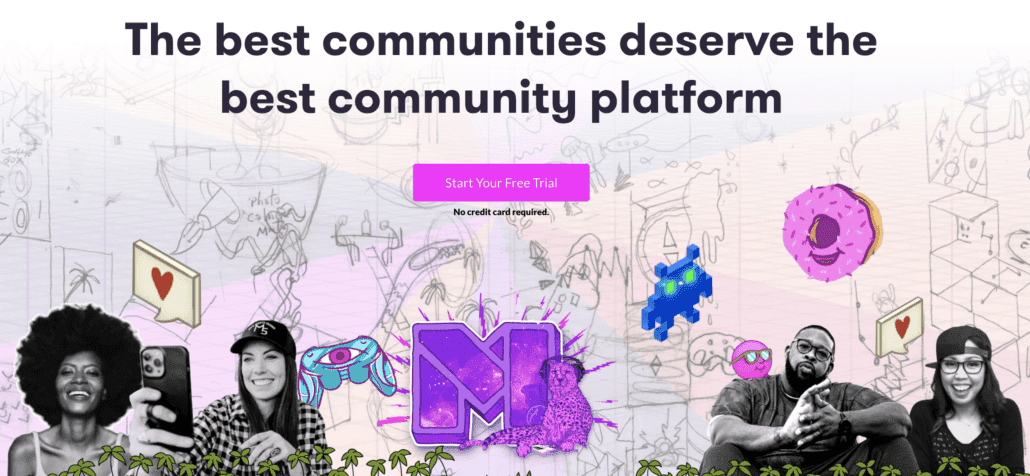
Mighty Networks is a platform for building and hosting communities. It's where the Ocean Nomads membership lives, creating a space for like-minded ocean adventurers to connect, share, and collaborate for a lifestyle at sea.
How I use Mighty Networks?
For 5 years already, I host the Ocean Nomads member hub and Ocean Nomads Crew course on Mighty Networks. It's where we share updates, coordinate trips, connect members, do our community management, networking, and exchange ideas about living a conscious ocean nomads lifestyle.
What it looks like:
Why I love it?
It's like having a virtual clubhouse without having to glue tons of other software to it to make it work. Mighty Networks makes it easy to share content, connect people, and create resources and courses, organize events, facilitate discussions, and manage the backend of a growing community. Without the noise and data-selling that come with tools like facebook groups. It also has a payment system and integrations with other tools like Kit for easy email marketing. I like that the course videos are hosted locally (as opposed to many other tools where you have to host on for example youtube), and that it comes with a smooth app that you can customise to your own liking. It's an all-in-one community software to create and manage your community.
What is the investment? Quite a lot. But it is way less hassle, time and resources than starting your own app from scratch. There are different plan options depending on your needs.
Mighty Networks discount code: $50 off Community Annual Plan: COMMUNITYLAUNCH
Find here a more extensive review on Mighty Networks I made
Alternative I considered: Circle.co
Bonus tool for Facebook groups: If you still run or want to run a Facebook group alongside a proper community platform, Group Collector is a clever tool that captures the answers new members give when they join your group (which Facebook otherwise throws away) and sends them straight to your email list or CRM. It turns a Facebook group into an actual lead source instead of a walled garden. I grabbed it as a lifetime deal on AppSumo.
Email Marketing Tools for Digital Nomads
Kit (formerly ConvertKit)
What does Kit do?
Kit (previously ConvertKit) is an email marketing tool designed for creators, offering features for building email lists, landing pages, creating automated workflows, selling products, and engaging your audience effectively.
How I use Kit?
I've been testing this tool for a year now and decided to switch over from Mailerlite. I use Kit to share newsletters and get content seen to those who choose to sign up. It's my go-to tool for creating impactful email sequences, like those for launching the Ocean Nomads Crew Course or sharing blog updates (Coming!).
Why I love Kit?
Kit blends simplicity with power. The automation features are easy to set up, and its design tools help me create emails easy peasy. It keeps me connected with my community without overwhelming me with unnecessary complexity. The main reason for switching from Mailerlite is that it integrates with Mighty Networks, which makes email marketing way easier. Also I love the feature that give the ability to sell your new book or product within the email software. I use the free edition with this blog and the Creator plan with Ocean Nomads.
Alternatives I used: Mailerlite and Sendfox, both more affordable options that may be just fine for you.
Content Distribution Tools for Digital Nomads
What I love to do most: telling stories and crafting content. For a long time (and still) I struggle to dedicate more time to the actual craft versus the distribution and reach which is as important. If people don't see it, the impact is less. Here's what is being super helpful. In 2026 I'm going next level with setting up distribution systems.
ManyChat
What does ManyChat do?
Have you seen those calls to actions on Instagram where you have to comment X or send a DM and you get a response right away. That's often via the tool called ManyChat. It works with Facebook messenger, Instagram and Whatsapp and can save some time on the socials. Now you can also send a personal DM to every new follower.
How I use ManyChat?
I've used ManyChat for Ocean Nomads and the Ocean Nomads Crew Course on Instagram (See examples).
Why I love it?
ManyChat simplifies communication while maintaining a personal touch. I love how it saves time and automates repetitive tasks means I can focus on creating value and connecting authentically. ManyChat has a free option and a more advanced premium option.
Vista Social
What does Vista Social do?
Vista Social is a social media scheduling and publishing tool that works across Instagram, Facebook, LinkedIn, YouTube, TikTok, Pinterest, Twitter/X and more. It handles normal feed posts, reels, trial reels, and stories. The killer feature for me: you can schedule a link in the comments on Instagram so your call-to-action actually becomes clickable, which isn't possible natively. It also lets you manage multiple brands from one dashboard.
How I use Vista Social?
I use it to schedule reels and trial reels for both Oceanpreneur and Ocean Nomads, often batching a whole week of content in one session from a café or the van. The link-in-comments feature is gold for Instagram where you can't normally add clickable links in the caption. Instead of the old “link in bio” dance, Vista Social drops the link straight into the comments.
Why I love it?
Scheduling across multiple brands without switching between apps, proper reel and trial reel support (most schedulers don't handle these well), and the link-in-comments workaround on Instagram. It saves me hours every week of doing this manually.
What is the investment? From around $15/month depending on how many profiles you connect. Use my 10% discount code Gn3TMZWy at checkout.
Try Vista Social (10% off with code Gn3TMZWy)
Repurpose.io
What does Repurpose do?
Do you sometime wonder how all these content creators can post so much content on different platforms? Well, they don't. They use a tool called Repurpose which does exactly what it describes. This app automates content distribution across platforms.
How I use it?
I use Repurpose.io to share videos, blogs, and social posts across multiple channels with 1 click. For example, I post a reel on Instagram and it gets auto posted to Youtube, Pinterest, Twitter etc.
Why I love it
My internet connection is quite often terrible, or non existing. Uploading and clicking can take a lot of time. Repurpose does all that work for me. It's like having a personal assistant for content management.
Missinglettr
One of the challenges of blogging is making sure older articles keep working for you. A blog post can take hours or days to write, so it's a shame if it only gets shared once.
What does Missinglettr do?
Missinglettr automatically turns your blog posts into a series of social media posts. One article can be turned into a campaign that shares quotes and highlights from the post over several months.
How I use Missinglettr?
I mainly use Missinglettr to schedule my blog posts to Facebook. After publishing a new article, the tool creates suggested posts which I quickly review and approve. From there it automatically shares them over time. You can see examples on my facebook page. And say hi :)
Why I love Missinglettr?
Missinglettr has increased traffic back to my blog significantly. It keeps older blog posts alive and brings steady visitors back without extra work. A simple tool that quietly works in the background while I'm out sailing, hiking, or travelling.
Try Missinglettr (or grab it as a lifetime deal on AppSumo when available).
Writing Tools for Digital Nomads (Creative Writing, Editing & Grant Writing)
Grammarly

If I only knew about Grammarly before I hired a book editor for Ocean Nomad and burned my budget.
What does Grammarly do?
Grammarly is a writing assistant that checks your grammar, punctuation, and tone. It's great for creative writing, blog posts, emails, and even more formal tasks like grant writing.
How I use it?
From blog posts to newsletters, Grammarly ensures my writing is clear and polished. It's my safety net for avoiding embarrassing typos.
Why I love it?
It makes me look smarter. Enough said. Grammarly automatically pops up wherever I'm writing to improve my writing. There are some auto edit features.
I also considered: Quillbot which has a pretty advanced free option.
Website & Business Development Tools for Digital Nomads
WordPress
What does WordPress do?
WordPress is a powerful and versatile website-building platform that allows creators to design, manage, and optimize their websites. It's open-source, customizable, and perfect for everything from personal blogs to full-scale e-commerce sites.
How I use it?
This blog, as well as Ocean Nomads, is built on WordPress. With its wide range of themes, plugins, and integrations, I tailor the sites to reflect the brands while keeping them functional and user-friendly.
Why I love it?
WordPress is like a blank canvas for creativity. It offers endless possibilities. I love its ability to scale as my projects grow and the vibrant community behind it that continually adds new features and support. It's reliable, adaptable, and aligns perfectly with my mission of sharing impactful content with the world.
It's free! www.wordpress.org
That said, you do need to host your website somewhere. It's important to select a good one. I've had some bad experiences in the past which made me lose my blog DestinationXploration (Did you know me back then already :)? I now use Lightningbase for many years already and never have had an issue. Also they autoback up your website and fix something when you can't figure it out (to a certain extent). It's a very small hosting business ran by Chris. You can choose website themes and templates for free or pay for one. This blog is the Salient theme. Ocean Nomads is built in Elementor with Astra theme.
ThriveCart

What does ThriveCart do?
ThriveCart is a shopping cart software without subscription designed to maximize sales and simplify checkout processes.
How I use it?
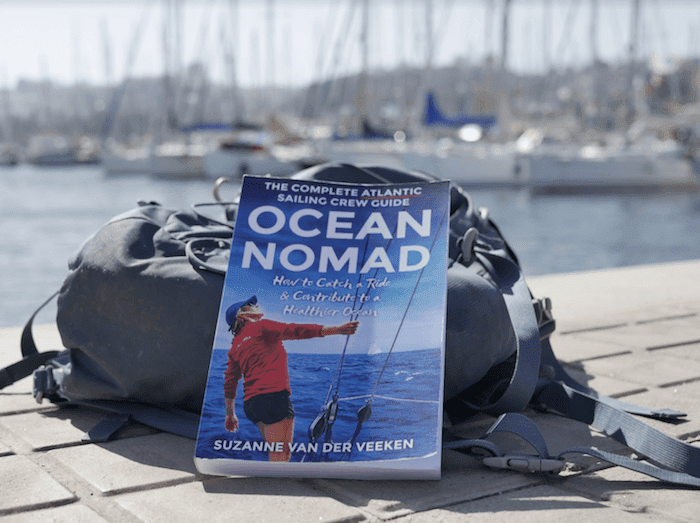
I sell my book Ocean Nomad (the E-book edition) through ThriveCart. See here an example. And future digital products I'll sell through ThriveCart too. I also use their ConvertBox tool to optimize conversion. You may have seen it pop up on the blog here.
Why I love it?
It doesn't have a subscription or extra fees per purchase. Yes, the initial investment is quite a lot, but do the math over time and it's way less than those subscriptions that can add up a lot over time, or services that take a huge cut of your amazing products and services. Also, it just does what it needs to without you having to take a course how it works or tons of extra features.
Wise
What does Wise do?
Wise (formerly TransferWise) is an international money transfer platform that offers transparent, low-cost solutions for sending and receiving money globally. It uses real exchange rates without hidden fees.
How I use it?
For international payments (for me outside of Europe).
Why I love it?
It's a very easy and affordable way to make and receive intercontinental payments for freelancers.

The digital nomad office when living vanlife
Productivity Tools for Digital Nomads
aText
What does aText do?
aText allows you to re-use texts, emails, codes, or phrases that you often use, with a simple shortcode.
How I use it?
I use aText for quickly entering details into forms, for emails, for passwords, for intros. Whenever I notice I'm retyping the same thing, I add it to aText.
Why I love it?
It just saves time and energy. You can try for free and then it costs $5 only (per year). It's a very simple timesaving tool.
Notion
What does Notion do?
Notion is an all-in-one workspace to organize your tasks, ideas, projects, and goals in one place. It's highly customizable to fit your unique lifestyle and workflow. It also works as a database management tool, which is why many digital nomads use it to track content, trips, CRM and more in one place.
How I use it?
I use Notion to plan my life, trips, manage my content creation, Ocean Nomads business system, and organize personal goals. From brainstorming new ideas to structuring long-term plans, it's my ultimate tool for clarity, focus and overview.
Why I love it?
Notion brings everything together in one clean and inspiring space. It's flexible, visually appealing, and has endless possibilities for customization. Plus, it's free to start, with affordable upgrades if you need more features. The Notion AI is a game-changer too. It makes life simpler and more intentional.
Upbase
What does Upbase do?
Upbase is a clean, simple task and project management tool for individuals and small teams. Think of it as “Notion without the overwhelm.” It covers tasks, calendars, files, notes, messaging and time tracking in one place, with a much lighter learning curve than Notion.
How I use Upbase?
I use Upbase specifically as the task manager for Ocean Nomads. Where Notion holds my long-form documents, plans and databases, Upbase is where the actual doing lives. Daily task lists, trip planning for sailing expeditions, and coordinating with collaborators. It's the simpler, faster workspace for when Notion would be overkill.
Why I love Upbase?
It doesn't try to do everything, which is exactly the point. The interface is clean and fast, it works well on mobile, and the free plan is genuinely usable. If you've ever opened Notion, felt overwhelmed, and closed it again, Upbase is probably what you actually want.
Surfshark VPN
Have you experienced those verification things or websites that don't work when you travel somewhere else? You solve it with a VPN.
What does Surfshark do?
Surfshark is a VPN service that keeps your online activity private and secure.
How I use it?
As a digital nomad, I rely on Surfshark to safely connect to public Wi-Fi and access content from anywhere. It's essential when managing sensitive member data on the go.
Why I love it?
It's affordable, easy to use, and gives me peace of mind while working remotely from my campervan or wherever. Everything gets tracked these days. With Surfshark you can minimize that. I love this one as it is super easy to set up on both desktop and mobile and very affordable.
Hardware & Internet Essentials for Digital Nomads
Since this year I bit the bullet and invested in a Starlink Mini. If there's no signal and I really need to work, I can turn it on and voila. You have to buy the hardware once (easy to find second hand) and subscribe. You can change the subscription to inactive when not using. Click here and we both get 1 month for free.
Video gear I'm using:
I film with either my iPhone 11 or Sony ZV E10.
I swear by the Rode Wireless Microphone.
How to Save on Your Digital Nomad Software Stack
Bonus Tip 1: Go for lifetime deals
Many of these software tools come with subscriptions that can quickly add up to quite an investment. Though these investments may and should be earned back through using them, as a small entrepreneur or creator it can be a tough cookie. It all adds up and we rather have some funds for the adventures. Check out AppSumo for lifetime software deals. You only pay once, can try out the tool for 60 days (or just get your money back), and then keep access for life. Through this, I acquired some tools like OnlineCourseHost, NeuronWriter (SEO writing tool), Missinglettr (content distribution), Transcript.lol (for transcribing and summarizing podcasts and Youtube videos), Minvo (AI video tool turning long form into short form content) and Group Collector (Facebook group lead capture) that, with their competitors, cost a fortune. And like this you also support some start-ups and other creatives instead of the giant corporates.
Bonus Tip 2: Snatch software deals on Black Friday / Cyber Monday
I'm very much against buying ‘things' on days like Black Friday and Cyber Monday. But when it comes to software deals it's in many cases the best time to grab a good deal.
Some software offers worth considering:
- Mindvalley has 50% off their yearly membership (tons of development courses)
- ManyChat has 30% off for 3 months
- Kit Black Friday: 60% off your first three months
- AppSumo has discounts on all their lifetime software deals
- Mighty Networks community software has $100 off the Courses, Business, or Growth Plan (Use code: MIGHTYLAUNCH)
- ThriveCart checkout software has 15% off (lifetime deal)
- Descript has bonuses when you sign up this Black Friday / Cyber Monday weekend
- Surfshark VPN has 3 months for free
Digital Nomad Software Stack FAQ (2026)
What's the best email marketing tool for digital nomads?
Kit (formerly ConvertKit). It's designed specifically for creators, has a free plan for getting started, integrates with Mighty Networks and most community tools, and has powerful automation without being overwhelming. I switched to it from Mailerlite in 2024 and haven't looked back.
What's the best community platform for digital nomads?
Mighty Networks. I've hosted Ocean Nomads on it for 5 years. It's an all-in-one for community, courses, events and payments, which means you don't have to duct-tape five separate tools together. If you want a simpler and cheaper alternative, Circle.co is the other serious option.
What's the best graphic design tool for digital nomads?
Canva. It's the only graphic design tool I recommend unconditionally to non-designers. The free plan is generous, the Pro plan unlocks brand kit, templates and royalty-free stock, and the mobile app actually works offline.
What's the best AI tool stack for digital nomads in 2026?
Start with three: Descript for video editing, Canva AI for design, and Notion AI for writing and organisation. Those three cover most of what a creator-nomad needs day to day. For more specialised AI tools, grab Transcript.lol and Minvo as lifetime deals on AppSumo.
What's the best writing tool for digital nomads?
Grammarly for general writing, editing and grant writing. Quillbot is a strong free alternative with paraphrasing features. For long-form writing and organisation, I draft inside Notion first, then polish with Grammarly.
What's the best social media scheduling tool for digital nomads?
Vista Social. It handles Instagram, Facebook, LinkedIn, YouTube, TikTok, Pinterest and Twitter/X from one dashboard, supports reels and trial reels properly, and has a killer link-in-comments feature for Instagram (so your call-to-action actually becomes clickable). Use code Gn3TMZWy for 10% off. For auto-posting the same content across platforms, pair it with Repurpose.io.
What's the best tool for brand management as a digital nomad?
A combination: Canva Pro's Brand Kit for visuals (colours, fonts, logos), Notion for brand documentation and content planning, and Descript for branded video. That's the full brand management stack for most creator-nomads.
How do I get reliable internet as a digital nomad?
For most places, a local SIM plus a decent mobile router covers 90% of needs. When I really need to work off-grid, I fire up my Starlink Mini. The subscription can be paused when you're not using it, which makes it way more affordable than it first looks.
What tools do digital nomads use to run an online business on the road?
At minimum: WordPress for the website, Lightningbase for hosting, Kit for email, ThriveCart for checkout, Wise for international payments, and Notion to hold it all together. That's the core stack I use daily.
Final Thoughts
Figuring out your software stack can be quite a project in itself. Over the years I've researched and tested so many tools and things. In the end, it's a personal choice, and the most important part is actually using what you invested in. And to create the freedom and impact with it, staying sane in the process.
I hope by sharing my productivity and management tools, you may got some ideas or inspiration to create your own personal digital nomad software stack for 2026 so you can work smarter, and play harder. We are not meant to sit behind computers all day. Set it up, make it work, and make a difference while living your best life to your full potential.
For more adventure and travel related tools I use, check out the resources page.
What's your favourite software tools for the creative and community focused projects and business?
Disclaimer: As always, opinions are my own. What drives me is encouraging you to connect to nature, care for nature, and live your best life. If you're looking to purchase something from this software stack list for creators and community builders, huge thanks if you try out the software via the links on this website. At no extra cost to you, purchases via these links give me a tiny piece of the pie that helps me keep investigating, exploring, and creating content about living an oceanpreneurial life of adventure travel in tune with nature.